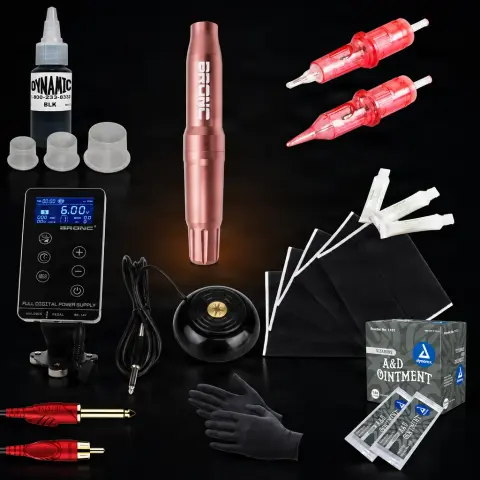
Tattoo Kit Kush Wireless
KushOrder as a pre-order — it ships when back in stock.
Specifications
- Brand
- Kush
- Weight
- Lightweight
- Material
- Synthetic leather
- Dimensions
- A5
- Quantity
- 3 pcs
- Format
- A5
- Volume
- 30ml
- Battery autonomy
- 1 day
Ghiduri utile:Kit complet pentru începători în tatuaj: de ce ai nevoie ca să începiCum începi să tatuezi — echipamentul și pașiiAparat de tatuat ieftin: mașină, kit și imprimantă la buget mic — ce merită și ce te costă dublu
Presentation video
Guide & full description
Complete guide: Tattoo Kit Kush Wireless
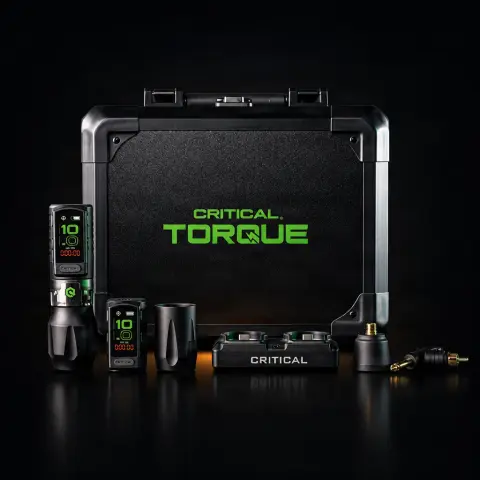
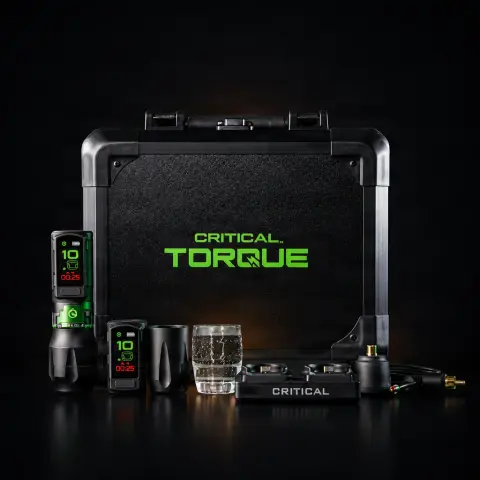
This is a complete starter kit built around a wireless tattoo machine, designed to cover the entire chain of a session: from stencil transfer to aftercare. In addition to the machine, you get black ink, transfer solution, synthetic skin for practice, and basic consumables — caps, spatulas, cream, bandage, and aprons. It is a practical choice both for beginning artists who want everything in one package, and for those switching from a cabled machine to the freedom of a wireless setup.
How to use
- Unpack the kit, check all components, and fully charge the wireless machine battery before the first working session.
- Prepare the work station: surfaces covered with protective barriers, disposable gloves, and an apron from the included set for the client or the work surface.
- Prepare the design: transfer the design onto one of the included transfer sheets, apply a thin layer of Real Stencil Honey solution to the clean skin, and press the stencil; let it dry thoroughly before touching the area.
- Mount a sterile cartridge needle on the machine, pour the Base Ink Pure Black ink into the 8 mm caps (only the amount needed for the session), and use the spatulas for creams, never fingers directly in the container.
- Adjust the machine parameters according to the technique — the product description indicates adjustable speed and stroke, with different settings for lining versus shading — and test first on the included A5 synthetic skin.
- During work, apply a thin layer of Frost Green Glide or Fougera cream for needle glide and periodically wipe off excess ink with a disposable paper towel.
- At the end, clean the tattooed area, apply the prowrap bandage according to post-tattoo aftercare practice, and give the client clear aftercare instructions.
- Dispose of the used needle in a sharps container, discard all single-use consumables (caps, spatulas, barriers), and sanitize the machine and surfaces before the next session.
Tips from us
- Practice on the 3 sheets of A5 synthetic skin before working on real skin — they are included exactly for this and help you calibrate the machine settings without risk.
- Fully charge the battery before each working day; for very long sessions or conventions, having a spare battery or machine is good practice in general.
- Pour only the ink you need into the caps and never return the surplus to the bottle — this prevents contaminating the entire 15 ml container.
- Cover the machine with a protective barrier (disposable plastic wrap or sleeve) for each session: a wireless machine with a built-in battery cannot be sterilized in an autoclave, so contamination prevention is essential.
- Keep track of consumables: caps, spatulas, aprons, and needles run out first — order refills before you run out in the middle of a busy period.
- Use the included spatulas to scoop cream from the container in individual portions — a container from which cream has been taken with the hand or a reused tool can no longer be considered clean.
Frequently asked questions
What exactly does the kit include?▾
According to the product description, the kit contains: Kush Wireless tattoo machine, Base Ink Pure Black 15 ml, Real Stencil Honey transfer solution 30 ml, 3 sheets of A5 synthetic skin, 3 transfer sheets, set of 100 8 mm ink caps, set of 10 spatulas, 5 Fougera creams, Frost Green Glide 50 ml, prowrap bandage 5 cm, 10 needles and a set of 10 aprons. You basically have everything you need for the first sessions, from stencil transfer to final bandaging.
Is it suitable for beginners or only for experienced artists?▾
It is designed for both situations. For beginners, the advantage is that you get the basic components in a single coherent package, plus synthetic skin to practice safely before working on real skin. For experienced artists, it is a simple way to switch to a wireless setup, without cables and with a more organized workspace. If you are just starting out, our recommendation is to accompany the kit with a course or mentoring — the equipment does not replace correctly learned technique and hygiene.
Can I use the machine with cartridge needles from other brands?▾
Yes — according to the product description, the Kush machine is compatible with standard industry cartridge needles. Most manufacturers follow the same cartridge format, so after you finish the included needles, you can choose the configurations (round liner, magnum, etc.) and preferred brand depending on your working style.
How do I sanitize the wireless machine between clients?▾
A wireless machine with a built-in battery cannot be sterilized in an autoclave, so protection is done preventively: cover the machine body with a disposable barrier (plastic wrap or sleeve) for the entire session, then discard the barrier and wipe the machine with a surface disinfectant suitable for equipment. The cartridge needle is single-use and must be disposed of in a sharps container. Never submerge the machine in liquids — you risk damaging the electronics and battery.
How do I use the transfer solution and included sheets?▾
Draw or print the design on the transfer sheet, then apply a thin, even layer of Real Stencil Honey to the previously cleaned skin. Press the sheet with the design side onto the skin, hold it for a few seconds without moving it, then lift it in one motion. Let the stencil dry completely before starting work — otherwise it will wipe off at the first contact. You can practice the entire process on the included synthetic skin until you get it consistently.
Can the machine be used for both lines and shading?▾
Yes. The product description mentions that the speed and stroke are adjustable, allowing the machine to be used for both lining and shading. As a general working principle, lines require firmer settings and continuous movements, while shading requires softer settings and gradual passes — test combinations on the included synthetic skin until you find the adjustments that suit your technique.
Product description
You might also like
Reviews
No reviews yet. Bought this product? Be the first to leave one.