

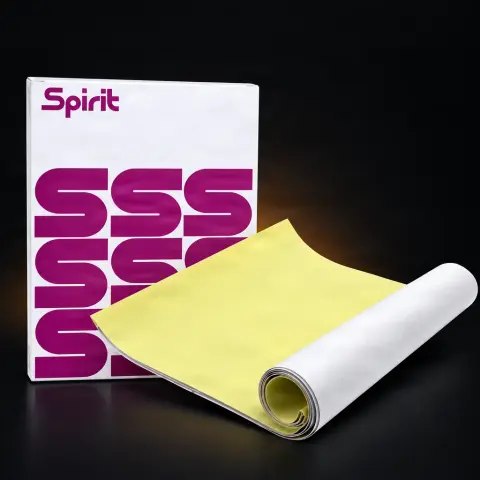
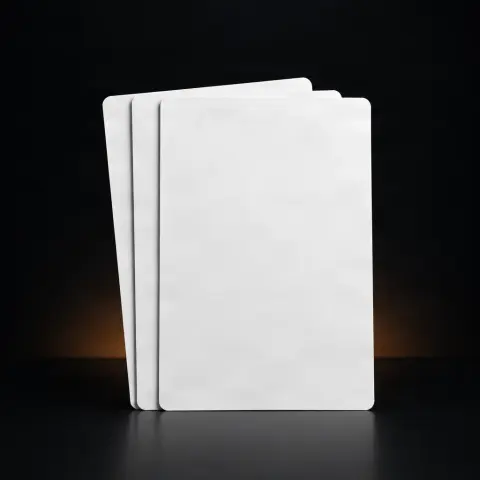
Spirit Tattoo Classic Freehand Hectograph Paper
SpiritSpecifications
- Brand
- Spirit
- Format
- A4
- Quantity
- 100 sheets
- Composition
- violet dyes, wax
- Use
- manual
- Compatibility
- not compatible with printers
- Sterilization
- dermatologically tested
- Content
- 3 layers
Useful guides:Consumabile de tatuaj — lista completă și la ce folosescConsumabile pentru un studio de tatuaj: lista completă lunarăConsumabile de unică folosință pentru studioul de tatuaj: ghid complet
Presentation video
Guide & full description
Complete guide: Spirit Tattoo Classic Freehand Hectograph Paper
This is a consumable that allows you to manually transfer a design onto the skin before starting the tattoo, without needing a thermal printer. It is aimed at artists who work freehand or who trace custom designs directly on the client, offering complete control over every line. Manufactured by Spirit (ReproFX) in A4 format, it uses a highly visible violet pigment set in a fine, pressure-sensitive wax matrix that stands out clearly on any skin tone.
How to use
- Place the original design on top of the transfer sheet, with the pigment layer facing downward (the top tracing sheet is the one you draw or trace on).
- Trace the outline with a ballpoint pen, pencil, or stylus, pressing firmly and evenly—each traced line transfers the violet pigment to the layer below.
- Prepare the client's skin: shave the area, clean it, disinfect it, and dry it completely so that no traces of alcohol or moisture remain.
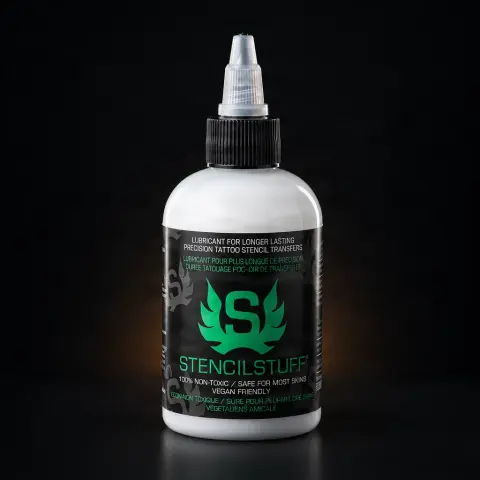
- Apply a stencil solution (Spirit, Electrum, Stencil Stuff, or equivalent) to the prepared area and spread it thinly and evenly.
- Position the sheet with the drawn side in contact with the skin, exactly where you want the tattoo, and check the orientation with the client.
- Press evenly over the entire surface without moving the sheet, so that the pigment adheres fully.
- Lift the sheet in one motion and let the stencil dry completely before starting the tattoo, to prevent the lines from smudging.
Tips from us
- Press consistently and evenly when tracing the design: uneven pressure leaves pale or broken lines on the stencil.
- Make sure the skin is completely dry from disinfectant before applying the stencil solution—otherwise the transfer will be smudged.
- After lifting the sheet, do not touch or rub the transferred design until it is fully dry.
- Use a quality professional stencil solution for a clear transfer that lasts throughout the session.
- Do not run the sheet through a thermal printer—it is designed exclusively for manual tracing.
- Check the stencil position and size with the client (optionally in a mirror) before putting the first needle on the skin.
Frequently asked questions
What is the difference between the hectograph sheet and the Spirit thermal sheet?▾
The hectograph sheet is for manual tracing (freehand): you draw or trace the design with a pen or stylus, and the violet pigment transfers to the lower layer. The thermal sheet, on the other hand, is compatible with a thermal stencil printer and automatically reproduces a printed design. The hectograph gives you total creative freedom, ideal for custom drawings and on-the-spot modifications, while the thermal sheet is preferred for exact reproductions of digital designs. Both use Spirit violet pigment, but the transfer mechanism differs.
Can I use it with a thermal stencil printer?▾
No. This hectograph sheet is designed exclusively for manual tracing and is not compatible with thermal printers. If you need sheets for a printer, choose thermal sheets (e.g., Spirit Classic Thermal or Green Thermal). Attempting to run the hectograph sheet through a printer can jam and damage the thermal mechanism.
What stencil solution should I use with it?▾
It is compatible with professional stencil solutions on the market (Spirit, Electrum, Stencil Stuff, or equivalent). Apply the solution to clean, completely dry skin, position the sheet with the drawn side facing the skin, press evenly, and lift it. The solution fixes the violet pigment onto the skin for the duration of the tattoo session.
How do I prepare the skin and is it safe for the client?▾
Shave the area, clean it, and disinfect it, then dry it completely (no traces of alcohol) before applying the stencil solution. The Spirit pigment is described as vegan-friendly and safe for most skin types; if any irritation or reaction occurs, stop. The sheet is a single-use consumable—do not reuse it between clients.
How long does the transferred design stay visible on the skin?▾
With a quality stencil solution and properly prepared skin, the violet transfer remains visible for the duration of the tattoo session. To prevent the lines from fading, avoid rubbing or touching the area and protect it from excessive perspiration before starting.
Is the product sold individually or by the box?▾
According to the listing, the price is for one sheet. If you need multiple sheets, check and adjust the quantity in your cart before placing the order.
Product description
👁4 people viewed it this week
🛍76 units bought this month
📋1 person has it in a list
You might also like
Reviews
No reviews yet. Bought this product? Be the first to leave one.