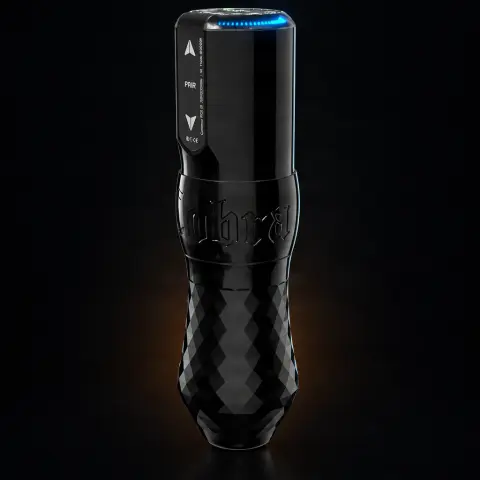
Cobra Inkmachines Wireless Cartridge Tattoo Machine 30mm Grip
Order as a pre-order — it ships when back in stock.
Specifications
- Handle material
- Aluminum
- Stroke length
- Adjustable
- Battery capacity
- 2760 mAh
- Connection
- USB-C, BT
- Weight
- Balanced
- Compatibility
- Regular Cartridges
- Included
- Tool kit No. 90
- Voltage
- BLE
Ghiduri utile:InkMachines — mașini suedeze și piese de schimb (Dragonfly, Scorpion, Stingray, Cobra)Piese de schimb Ink Machines — Dragonfly, Stingray, Scorpion, Cobra: ghidInk Machines: cum alegi mașina și sursa (Dragonfly, EXO)
Guide & full description
Complete guide: Cobra Inkmachines Wireless Cartridge Tattoo Machine 30mm Grip
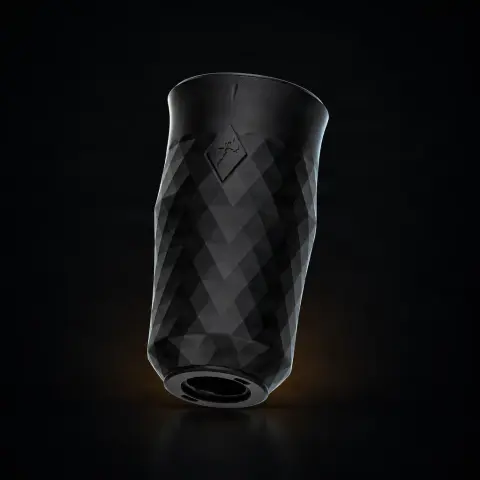
This is a wireless tattoo machine from Inkmachines, designed for artists who work with regular cartridges and want total freedom of movement, without a clip cord. It comes with a 30mm one-piece aluminum grip, adjustable give and stroke length, plus an integrated and detachable 2760mAh battery that functions as a complete BLE power supply. It is a choice for professionals and for long sessions, where comfort and fine control of settings matter.
How to use
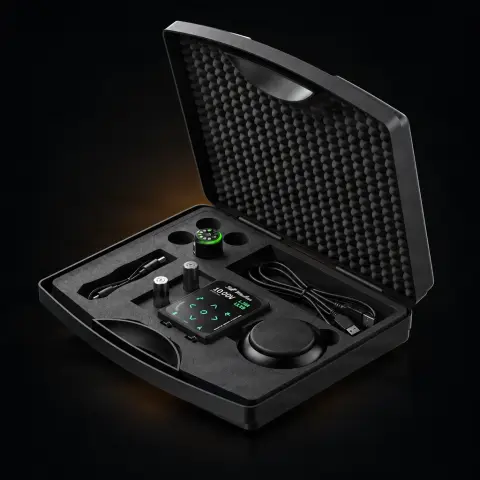
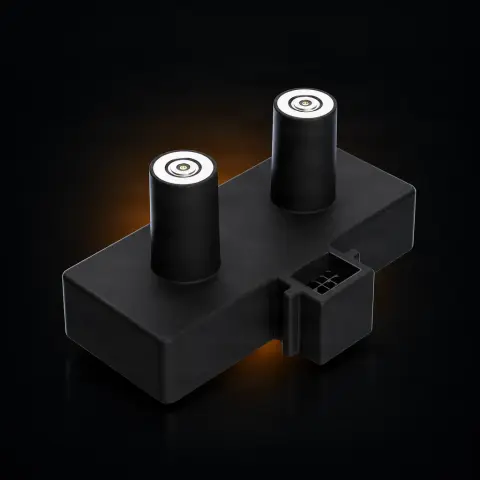
- Unpack the machine and check the contents: the Cobra body with the aluminum grip for regular cartridges, Cobra Powerpack (power supply), Tool kit No. 90, 1m USB-C cable, and the included oil.
- Fully charge the battery (Powerpack) using the USB-C cable before first use, then attach it to the machine.
- Adjust the give and stroke length according to your working style, using the included tools; the exact adjustment steps are explained in the manual and instruction videos in the product's downloads tab.
- Apply disposable protective barriers (machine wrap / grip cover) over the body and grip, as with any equipment that enters the work area.
- Insert a new, sterile regular cartridge into the grip and check the needle exit before starting.
- Turn on the machine using the buttons on the body and set it directly from there, or connect it wirelessly via Bluetooth to the InkMachines foot pedal or the smartphone app, as you prefer.
- Work normally; thanks to the balanced weight and large grip, the machine is designed for long sessions — however, take the usual breaks to check the work area.
- At the end, dispose of all disposable consumables, detach the battery, clean and disinfect the components according to the manufacturer's instructions, then put it on charge for the next session.
Tips from us
- Read the manual and watch the official videos in the downloads tab before the first adjustment — the machine has adjustable give and stroke, and the correct setting makes the difference between lines, shading, and filling.
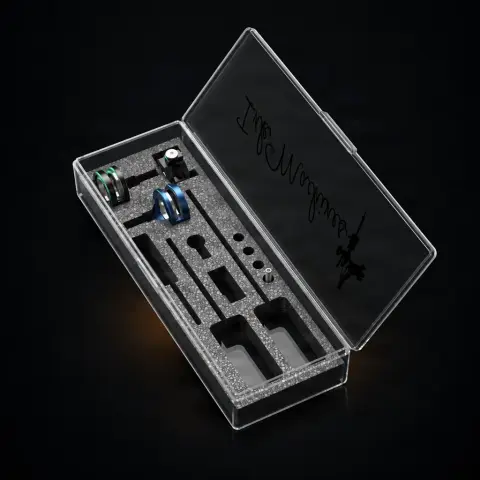
- Keep the Tool kit No. 90 handy at your station: the included tools are the ones you use for all modifications and adjustments of the machine.
- Use the included oil for periodic maintenance of the moving parts, as per the manual's instructions — a well-maintained machine keeps its performance consistent.
- If you work in the TPS X2 system, take advantage of the machine's native integration for centralized control of settings.
- For long sessions, consider a charged spare battery: the Powerpack is detachable precisely so you can quickly swap the power source.
- If in the future you want to switch to Neo cartridges, don't buy another machine: you only need the No. 270 Regular to Neo kit and a grip for Neo cartridges, which are not included in this version.
Frequently asked questions
What cartridges can I use with this machine?▾
This version is intended for regular cartridges — the standard used by most cartridge manufacturers. It is not delivered with the parts for Neo cartridges: if you want to convert it to Neo, you need separately the No. 270 Regular to Neo kit and a grip for Neo cartridges.
What do I get in the package?▾
The minimum package contents are: the Cobra tattoo machine with aluminum grip for regular cartridges, a Cobra Powerpack (complete power supply), Tool kit No. 90, a 1m USB-C cable, and maintenance oil. The color and size of the grip are chosen when configuring the order.
How do I control the machine — do I need a foot pedal or external power supply?▾
You don't need an external power supply: the integrated and detachable 2760mAh battery is a complete BLE power supply. You can control the machine autonomously, directly from the buttons on the body, or wirelessly via Bluetooth — with the InkMachines foot pedal or from the smartphone app. It also integrates into the TPS X2 system, if you work with it.
Can I adjust the machine for lines and shading?▾
Yes. The machine has adjustable give and adjustable stroke length, so you can adapt it to your working style. The necessary tools are included (Tool kit No. 90), and the adjustment steps are shown in the instruction videos and manual, available in the product's downloads tab.
How do I properly sanitize the machine and grip between clients?▾
During work, cover the machine body and grip with disposable barriers and use only sterile cartridges, which you discard after each client. After the session, clean and disinfect the components according to the manufacturer's instructions. Attention: grips with Polished finish are not sterilized in an autoclave, because they risk discoloration — for these, stick to cleaning and disinfection.
Is it suitable for a beginner or rather for an experienced artist?▾
It is a machine from the professional segment, with fine adjustments (give, stroke) and its own wireless ecosystem, designed for long and demanding sessions. A beginner can use it, but an artist who already knows what settings they prefer will get the most out of it; if you are a beginner, take your time with the manual and instruction videos before your first works.

Product description
You might also like
Reviews
No reviews yet. Bought this product? Be the first to leave one.