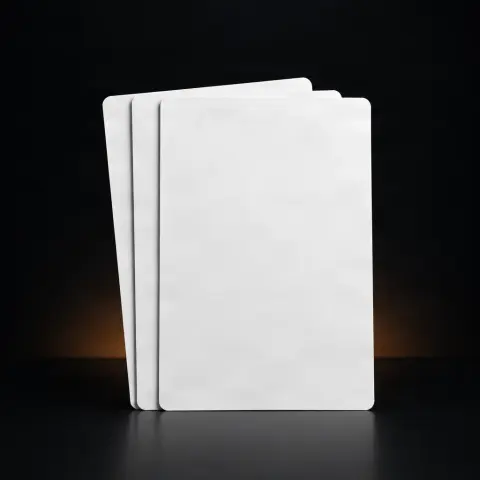
OZER Tattoo Stencil Paper X 21.6cm*30m
Specifications
- Dimensions
- 21.6 cm x 30 m
- Format
- roll
- Composition
- carbon sheet + stencil paper
- Usage
- standard A4 thermal printers
- Compatibility
- Brother PocketJet, Spirit printers
- Quantity
- 30 m
- Resistance
- to fading and soiling
Ghiduri utile:Consumabile de tatuaj — lista completă și la ce folosescConsumabile pentru un studio de tatuaj: lista completă lunarăConsumabile de unică folosință pentru studioul de tatuaj: ghid complet
Presentation video
Guide & full description
Complete guide: OZER Tattoo Stencil Paper X 21.6cm*30m
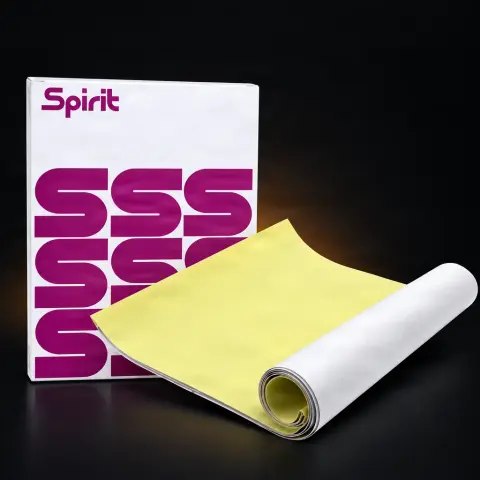
This is a roll of thermal transfer sheet for tattoo stencils, in a continuous format of 21.6 cm width and 30 m length, consisting of one roll of carbon paper and one roll of stencil paper. It is designed for artists and studios who frequently print stencils and want to cut exactly the length they need, without the limitations of pre-cut sheets. The roll format allows you to print both small pieces and long designs in one piece.
How to use
- Unwrap the packaging (opens easily by tearing) and cut a piece from the roll slightly longer than the design you want to print.
- Feed the sheet into the thermal printer — it is compatible with standard A4 thermal printers, being especially recommended for the Ozer M08Pro printer; other models may require a simple adjustment of format settings.
- Ensure the thermal layer is correctly oriented towards the print head, according to your printer's manual, then print the design.
- Check the resulting transfer: the lines should be clear and complete; if there are weak areas, adjust the intensity or speed settings of the printer.
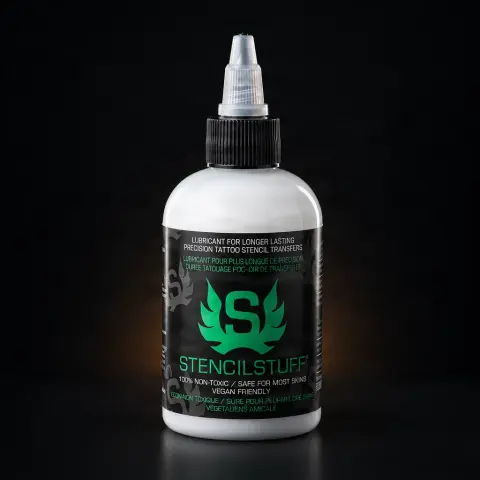
- Prepare the client's skin: shave, clean, and disinfect the area, then apply a thin layer of transfer solution (stencil stuff).
- Apply the sheet with the design onto the skin, press evenly for a few seconds, then lift the paper in one smooth motion.
- Let the stencil dry completely on the skin before starting the tattoo, so it lasts throughout the session.
Tips from us
- On first use, do a test print on a short piece to calibrate your printer settings before a real job.
- Cut exactly the length needed for each design — this is the main advantage of the roll over fixed sheets and minimizes waste.
- For long pieces (e.g., a full arm design), print in one piece instead of taping multiple sheets together — the roll eliminates the length limit of classic sheets.
- Store the roll in a dry, cool place, away from heat and direct sunlight — thermal paper is sensitive to heat and can degrade.
- Handle the sheet with clean hands or gloves to avoid leaving grease marks that can affect transfer quality.
- The dual-spindle separation design mentioned by the manufacturer helps with storage and transport — keep the roll on the spindle, not unwound loosely.
Frequently asked questions
Which printers is the roll compatible with?▾
The manufacturer indicates compatibility with standard A4 thermal printers. The roll is specifically designed for the Ozer M08Pro wireless printer, but it also works with other thermal stencil printer models — some may require a simple adjustment of settings (custom format, intensity) for perfect transfer. Check your printer's manual for the correct way to feed the sheet from the roll.
How much material is actually on a roll?▾
The roll is 21.6 cm wide and 30 m long, which roughly equates to approximately 100 A4 sheets. In practice, the yield is even better than with fixed sheets because you cut exactly the length you need for each design and don't waste unprinted portions. The displayed price is per roll.
Can I print long designs, for example for a sleeve?▾
Yes, this is the main advantage of the roll format: you are no longer limited by the length of a traditional thermal sheet. You can cut a piece exactly the length of your design and print the stencil in one continuous piece, without having to tape multiple sheets together.
Can I reuse a stencil or a leftover piece of sheet from another client?▾
No. The transfer sheet is a single-use consumable: any piece that has touched a client's skin must be discarded immediately after the session. However, you can keep and later use unprinted and untouched portions from the roll — this is precisely why the roll format is economical.
What is the roll made of and how does the transfer work?▾
The package contains one roll of carbon paper and one roll of stencil paper. During thermal printing, the printer head transfers the design from the carbon layer onto the stencil paper, using an ink formula resistant to fading and smudging, so the stencil remains visible on the skin throughout the work.
How should I store the roll properly to prevent degradation?▾
Keep the roll in its packaging or on its support spindle, in a dry place at room temperature, away from heat sources and direct sunlight. Thermal paper reacts to heat, so storing it near radiators, sunny windows, or equipment that heats up can affect its quality over time.
Product description
You might also like
Reviews
No reviews yet. Bought this product? Be the first to leave one.