Complete guide: Ink for the CISS Electrum Stencil Printer 120ml
The CISS Electrum Stencil 120ml ink is the dedicated ink for modified inkjet printers with a CISS (Continuous Ink Supply System), used to print a stencil directly from the computer onto transfer paper, ready to be applied to the skin. It is designed for studios and artists who work with digital designs and want a fast workflow without having to change cartridges every few stencils. The bottle has 120 ml and covers, according to the manufacturer's instructions, a large volume of prints before needing a refill.
How to use
- Use an inkjet printer equipped with a CISS (external continuous ink supply tanks), not one with standard cartridges — the manufacturer recommends the Epson EcoTank series, particularly the Epson ET-2650 model, but other models from the same series can also work.
- Remove the ink bottle cap, take off the safety seal, and attach the dosing cap included in the package.
- Open the 4 trays/tanks of the printer's CISS system.
- Fill each of the 4 tanks with 30 ml of ink (total 120 ml, the entire bottle content), then close the trays.
- Complete the printer setup by following the instructions that came with the device, usually a priming/cleaning cycle of the print head.
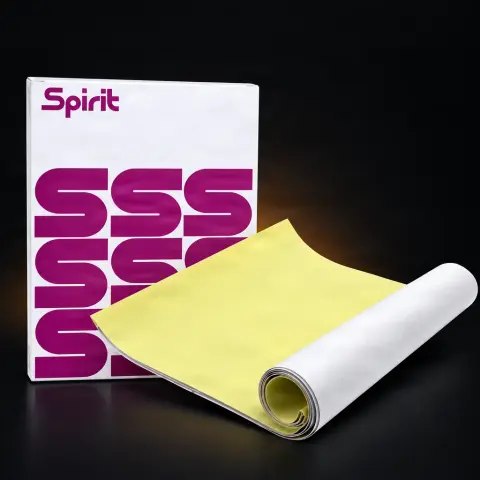
- Choose dedicated stencil transfer paper, not standard printer paper — the latter absorbs a lot of ink and makes it harder to transfer the design onto the skin.
- Print the design directly from the computer; according to the manufacturer's instructions, a 120 ml bottle allows printing approximately 3,000 designs.
Tips from us
- Gently shake the bottle before filling the tank so that the pigment is homogeneous and does not settle at the bottom.
- Invest in dedicated transfer paper — on standard paper, the ink spreads more and the design comes out less clear.
- Do not mix this ink with regular printer ink in the same CISS tank; it is formulated separately for this purpose.
- If you print stencils daily, keep a spare bottle on hand so you don't run out of ink in the middle of your workday.
- Check before ordering that your printer actually has a CISS system installed — the ink is not designed for the original cartridges of a regular printer.
Warning: Avoid contact of the ink with eyes and unprotected skin while filling the tank, and wash your hands after handling. Keep the bottle tightly closed, in a dry place, away from direct sunlight and out of reach of children. Do not pour the ink into the printer's original sealed cartridges — it is intended exclusively for open CISS systems. When transferring the printed stencil onto the skin, follow the usual hygiene rules in the tattoo studio: clean/disinfected skin and disposable materials where the work procedure requires it.
Frequently asked questions
What kind of printer do I need to use this ink?▾
You need an inkjet printer equipped with a CISS (Continuous Ink Supply System) — that is, external manually refillable tanks, not standard sealed cartridges. The manufacturer recommends the Epson EcoTank series, particularly the Epson ET-2650 model, but other models from the same series can also be used. If your printer only has original cartridges, it is not compatible with this ink.
How many stencils can I print from a 120 ml bottle?▾
According to the manufacturer's instructions, a 120 ml bottle allows printing approximately 3,000 designs. Actual consumption varies depending on the size and complexity of the design — a stencil with a lot of shading or heavy ink coverage consumes more than a simple linear outline.
What paper should I use for transfer?▾
The recommendation is dedicated stencil transfer paper, not standard printer paper. Regular paper absorbs much more ink, which makes the transferred design on the skin less clear than when using paper specially designed for this process.
How do I store the ink so it doesn't spoil between uses?▾
Keep the bottle tightly closed, at room temperature, away from direct sunlight and heat sources. Before each tank refill, gently shake the bottle to homogenize the pigment, which may settle slightly over time if the printer is unused for a while.
Can I mix this ink with the printer's original ink?▾
No. Stencil ink is formulated separately, with a different composition than standard printer ink, and is intended to completely replace the content of the CISS tanks, not to be mixed with other types of ink in the same circuit.
What do I do if I run out of ink in the middle of my workday?▾
The most practical thing is to always have a spare bottle on hand, especially if you print stencils daily for multiple clients. Running out of ink during a busy day means interrupting your workflow until a new order or refill.
Product description
The improved ink allows you to print designs with precision directly from your computer on a regular desktop printer. How does it work? It's easy: Buy a NEW Epson Eco Tank Printer. We recommend the Epson ET-2650, however you can choose from several other Epson Eco Tank models Fill the ink cartridges and start printing. Use: Remove the ECO Stencil bottle cap, then remove the seal. Attach the included dosing cap. Open all 4 trays in the printer and fill each one with 30 ml of ink, then close the trays. To complete the setup process after completion, follow the instructions that came with the printer. Theoretically, any type of paper is suitable for printing models on it, however, standard printer paper absorbs a lot of ink, making the model easier to transfer onto the skin. We recommend you to use dedicated paper to print models that guarantee the best effect. You can print approx. 3000 models from a 120 ml bottle
Electrum Stencil CISS Printer Ink 120ml is the professional benchmark ink for direct stencil printing systems on transfer paper, developed by Electrum Supply — one of the most respected brands in the tattoo consumables industry. This ink is specially formulated to work in inkjet printers modified with CISS (Continuous Ink Supply System), providing consistent ink flow without printhead clogs, which is the primary problem with generic inks in modified printers. The Electrum formula uses high-concentration pigments that produce stencils with strong violet contrast on transfer paper, clearly visible on all skin types from the lightest to the darkest. Unlike standard printer ink, Electrum Stencil is dermatologically safe — pigments are non-toxic and do not cause irritation upon skin contact. Compatible with Epson Eco Tank (L-series), Canon PIXMA G-series printers, and other models modified for stencil printing. The 120 ml bottle is sufficient for approximately 300-500 standard A4-sized stencils, depending on design complexity and ink coverage. Shake the ink well before filling the CISS reservoir, and store at room temperature away from direct light. Compared to Ink Jet Stencils Ink, Electrum offers a slightly more intense violet shade and a viscosity consistency that more effectively prevents sediment buildup in the reservoir during weeks of non-use. It is the standard choice in professional studios across the US and Europe that have adopted the digital stencil workflow. Water-based formula with no aggressive solvents. Lot-traceable, compliant with cosmetic safety standards.
Frequently Asked Questions