

Clipcord Trust black
TrustSpecifications
- Brand
- Trust
- Material
- Silicon
- Length
- 1.7 m
- Color
- Black
- Compatibility
- RCA Machines
- Connection
- Classic
Useful guides:Sursa de alimentare pentru tatuaj — ghid pe înțelesPedale și clipcord pentru tatuaj: rol, tipuri și conecticăCritical: surse de alimentare și baterii wireless pentru mașini
Presentation video
Guide & full description
Complete guide: Clipcord Trust black
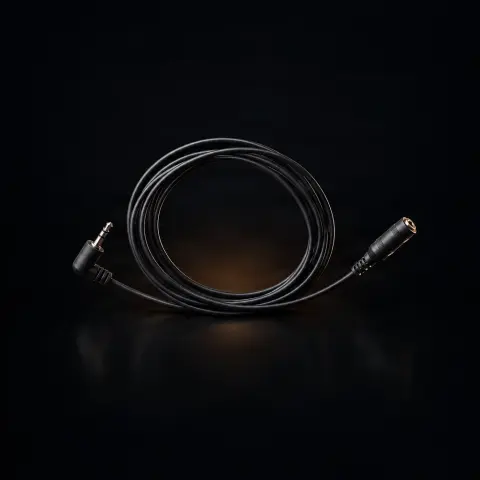
The clip cord is the cable that carries current from the power supply to your tattoo machine — essentially the 'nerve' that keeps the machine running. This Trust version has a silicone sleeve covered in textile material, a length of 1.7 m, and a discreet black finish that easily integrates into any setup. It connects via an RCA plug at the machine end and a jack plug at the power supply end, so it works with most rotary machines or pens and standard professional power supplies. It is a reliable and affordable choice, suitable for both beginners and artists who want a spare cable on hand.
How to use
- Make sure the power supply is turned off before making any connections.
- Connect the jack plug of the cable into the output of the power supply.
- Insert the RCA plug into the port of the tattoo machine or pen.
- Check that both ends are securely fastened, without play — a loose contact causes interruptions and machine instability.
- Turn on the power supply and adjust the voltage from the power supply (never by forcing or moving the cable).
- Position the cable loosely so it does not get in your way while working, without stretching it to its maximum.
- At the end, turn off the power supply and disconnect by pulling the plug, not the cable.
- Wipe the cable on the surface with a damp cloth and disinfectant between sessions.
Tips from us
- Store the cable loosely coiled, not tightly or sharply bent — this prevents permanent twists and cracking of the sleeve.
- Always pull the plug when disconnecting, never the cable, to protect the contacts.
- Keep a second clip cord as a spare: the cable is a wear part and a faulty contact can stop your session.
- If the machine 'skips' or stops intermittently, first check the cable and plugs — often the cause is there, not in the machine.
- The 1.7 m gives you freedom of movement; do not keep it under mechanical tension to avoid stressing the plugs.
- Black hides ink stains well, but clean it regularly anyway so you can spot any cracks in the sleeve.
Frequently asked questions
Does it work with my machine or pen?▾
Yes, if your machine has a standard RCA connection — which is the case for most rotary machines and pens. The RCA end goes into the machine, and the jack end goes into the power supply. It is not suitable for machines that use a different type of connection other than RCA.
What power supplies does it work with?▾
With any power supply that has a standard jack input. The product description lists power supplies such as Bronc, Hurricane, Nemesis, Critical, DarkLab Hover, and the Micro Power Supply as examples, but the list is not exhaustive — any professional power supply with a standard jack input is compatible.
What is the difference compared to the blue Trust version?▾
According to the description, the difference is purely aesthetic — the color of the sleeve. The technical specifications and materials are the same. Black blends in more discreetly and hides ink stains better.
How do I clean it and how long does it last?▾
It is easy to clean on the surface with a damp cloth and disinfectant, with the power supply turned off — do not submerge it in liquids. With minimal maintenance and proper storage (loosely coiled), it offers good durability for daily use. It is not a consumable, but a reusable accessory.
Is it suitable for beginners?▾
Yes. The RCA connection to the machine and jack to the power supply make it compatible with most equipment, and it is simple to use. It is a reliable and affordable cable that lets you focus on learning.
What is the length of the cable?▾
It is 1.7 m long, a length that gives you freedom of movement at the work station without needing to stretch the cable to its maximum.
Product description
🛍1 unit bought this month
You might also like
Reviews
No reviews yet. Bought this product? Be the first to leave one.