Critical Tattoo Universal Battery Dock
CriticalOrder as a pre-order — it ships when back in stock.
Specifications
- Brand
- Critical
- Weight
- 80 g
- Charging time
- 2-3 hours
- Compatibility
- RCA, 3.5 mm
- Format
- 2 slots
- Warranty
- 1 year
- Adapter
- EU
- Material
- High quality
Ghiduri utile:Sursa de alimentare pentru tatuaj — ghid pe înțelesPedale și clipcord pentru tatuaj: rol, tipuri și conecticăCritical: surse de alimentare și baterii wireless pentru mașini
Presentation video
Guide & full description
Complete guide: Critical Tattoo Universal Battery Dock
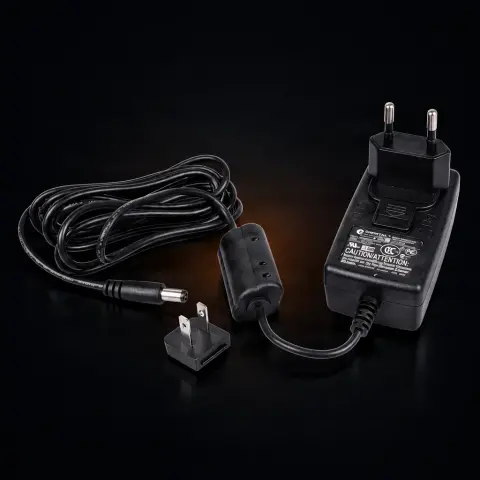
The Critical charging station (dock) for 2 batteries is a support accessory for the Critical Connect wireless system: it lets you charge two Critical external batteries simultaneously in a single compact device, with EU adapter included. It is designed for artists who work with wireless tattoo machines in the Critical ecosystem and need efficient battery rotation during sessions, without relying on a single USB cable. The batteries attach magnetically to the dock and can be detached quickly, with one hand, whenever you need a fresh battery.
How to use
- Plug the included EU adapter into a wall outlet and connect it to the charging dock, placed on a flat, stable surface.
- Place the Critical external battery onto one of the dock's two slots — the magnetic base guides and secures it automatically, from most angles.
- Repeat with the second battery if you want to charge both simultaneously — the dock has two independent slots, compatible with both Critical RCA-type and 3.5 mm batteries.
- Check the LED on each slot to see the charging status — it stays on while the battery is charging and changes state when the battery is fully charged.
- Leave the batteries on the dock until fully charged; the slots operate independently, so charging two batteries at once does not double the time needed for a single one.
- When you need a charged battery during a session, detach it from the dock with one hand and immediately place the drained battery back for recharging.
- Keep the dock on your work table, in a dry place, away from splashes and the area directly exposed during the tattoo session.
Tips from us
- Always have at least one fully charged battery ready before starting a long session, so you don't run out of power on your wireless machine.
- Put the drained battery on charge as soon as you take it out of the machine, so the rotation stays continuous and you always have a spare ready.
- Check the contacts on the dock and batteries from time to time to keep them clean — dust or residue can affect the quality of the electrical contact and, in turn, charging.
- Since it's a compact and very lightweight dock (80 g), you can easily take it to conventions or on the go, alongside your Critical batteries.
- Do not use the dock with batteries from other wireless system brands — it is built for the Critical ecosystem and is not intended as a universal solution.
Frequently asked questions
Which batteries are compatible with this dock?▾
The dock is built for Critical external batteries used in the Critical Connect wireless system, both in RCA and 3.5 mm versions. It is not designed for batteries from other wireless machine brands — if you work with a different system, you need the specific dock/charger for that brand.
How long does a full charge take for one battery?▾
Approximately a few hours from fully empty to full. The two slots work independently, so charging two batteries simultaneously does not double the time needed for one — the LED on each slot shows when that battery is ready.
Why do I need a dock? Isn't a regular USB cable enough?▾
A simple cable usually charges one battery at a time and leaves it on the desk, tethered. The dock charges two batteries at once, holds them magnetically in a dedicated spot on your work table, and lets you swap a battery with one hand, without having to stop to plug and unplug cables.
Does it come with a plug for Romanian outlets?▾
Yes — the product includes the EU adapter (European plug), so it connects directly to our wall outlet, without needing an additional adapter.
How do I maintain the charging dock?▾
Wipe it periodically, with the dock unplugged, using a dry or slightly damp cloth, without letting liquid enter the connector area. Keep it away from moisture and studio dust, and gently clean the magnetic contacts if you notice residue, so the battery always makes good contact.
Can I leave the batteries on the dock plugged in all the time, even if they are already charged?▾
You can leave the dock connected between sessions to always have spare batteries ready, but as a general rule for any electrical equipment, avoid leaving it plugged in unattended for a long time, especially overnight outside the studio.
Product description
You might also like
Reviews
No reviews yet. Bought this product? Be the first to leave one.