Complete guide: Wireless Alien thermal printer for the transfer sheet
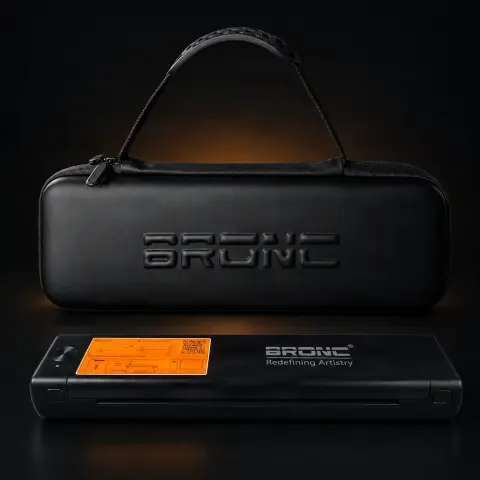
A portable thermal printer dedicated to printing tattoo stencil transfer sheets: instead of drawing the stencil by hand or relying on a classic ink printer, you print the design directly from your phone, tablet, or laptop, via Bluetooth or USB. The built-in 1200 mAh lithium-ion battery delivers up to 100 sheets on a full charge, so you can use it equally well in the studio, at conventions, or during guest spots. Being thermal, it needs no ink or toner — it only uses 216 mm wide thermal transfer paper.
How to use
- Charge the battery fully before first use using the included USB Type-C cable.
- Install compatible software on your phone or tablet (works with Android and Apple devices) or prepare a USB cable connection from a laptop.
- Pair the printer with your device via Bluetooth 4.2 — the process is similar to connecting any regular Bluetooth device.
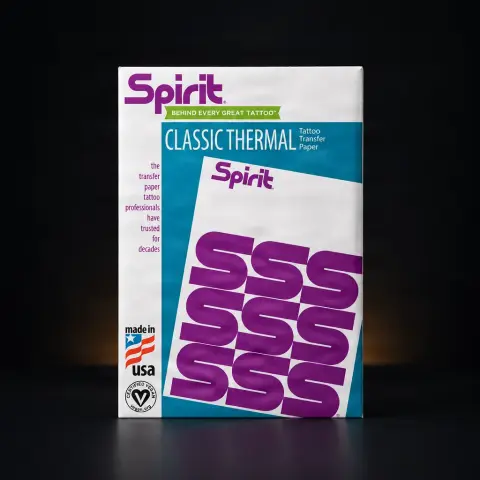
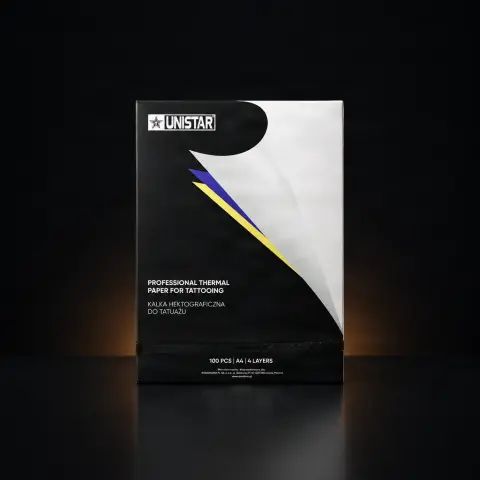
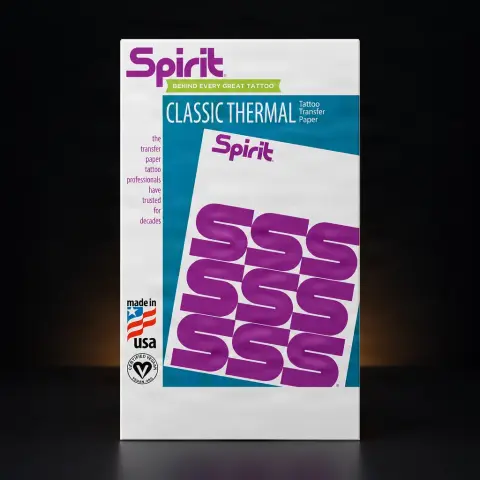
- Load thermal transfer paper into the printer; use paper with a width of 216 mm, matching the effective print width.
- Open the design in the app, resize it to the exact size you want on the skin, and check the orientation (mirrored, if your workflow requires it).
- Choose the print density — thick, moderate, or light — depending on how intense you want the transfer to be for that design.
- Print and inspect the stencil: the lines should be clear and continuous before taking it to the client.
- Apply the transfer sheet to the cleaned and prepared skin with transfer solution, press evenly, peel off, and let the stencil dry well before starting the tattoo.
Tips from us
- Work with files at the highest possible resolution: the printer prints at 203 DPI, so a pixelated or too small image will show in the line quality.
- Test the three density levels on different designs — fine lines and gradients may require a different setting than a design with thick lines; make a note of what works for your style.
- Before a busy day, a convention, or a guest spot, always leave with the battery fully charged — at maximum capacity you have an autonomy of approximately 100 sheets.
- Store thermal paper in a cool place, away from sunlight and heat sources — being heat-sensitive, it can blacken or degrade if stored improperly.
- Periodically clean the thermal head with a dedicated cleaning pad; it's practically the only maintenance a thermal printer needs.
- Keep the USB Type-C cable handy as a backup option: if you ever have Bluetooth connection issues, you can still print via cable.
Warning: The printer is a "clean zone" device: never touch it with the gloves you've used on a client. If it sits on or near the workstation, cover it with barrier film and change the film between clients. The transfer sheet is single-use — a printed stencil is used for one client only, never reused. Apply the stencil only on previously cleaned and disinfected skin, according to your usual preparation procedure.
Frequently asked questions
Do I need ink or toner for this printer?▾
No. As a thermal printer, the image is formed by heat applied to thermal transfer paper, not by ink. This means lower operating costs and zero hassle with dried-up cartridges or clogged print heads — the only consumable is the thermal paper.
What paper does it use and what stencil sizes can I print?▾
It uses 216 mm wide tattoo thermal transfer paper, matching the effective printing width. Most standard designs fit without issue; for very large pieces that exceed the paper width, you can split the design into sections and assemble them on the skin.
How do I connect it to my phone or laptop?▾
You have two options: wirelessly via Bluetooth 4.2 — the software is compatible with Android and Apple devices — or wired via USB/Type-C connection, e.g., from a laptop. Bluetooth pairing works like any other device, and once connected, you print directly from the design app or photo gallery.
How long does the battery last and how do I charge it?▾
The built-in lithium-ion battery has 1200 mAh and, when fully charged, gives you approximately 100 printed sheets. It charges via USB Type-C, and the charging cable is included. For busy days or conventions, charge it fully beforehand so you don't run out of stencils mid-schedule.
What maintenance does it need and how do I keep it hygienic in the studio?▾
Maintenance is minimal: no cartridges to replace, just occasional cleaning of the thermal head with a dedicated pad and replacing the paper when it runs out. On the hygiene side, treat the printer like any clean-zone equipment — never handle it with contaminated gloves, and if it sits near the workstation, protect it with barrier film that you change between clients.
Is it detailed enough for fine lines? Is it worth it for a beginner too?▾
The 203 DPI resolution reproduces fine lines, small text, and gradients clearly, provided you start with a good quality file — the final result directly depends on the original image. For a beginner, the main advantage is consistency: you get clean, repeatable stencils without relying on manual tracing skill, and the printing speed of 13-15 mm/s keeps up with a normal workflow. The product comes with a 1-year warranty.
Product description
Use anytime, anywhere Built-in lithium-ion battery for maximum portability. Fully charged, print 100 sheets Connect using Bluetooth or USBPrint templates quickly and with detail. Load thermal paper with ease Perfect for the traveling artist. No stencil ink required. Technical specifications: Connection method: Bluetooth4.2/TYPE-C and USB connection. USB Type C charging, charging cable included. Lithium-ion battery, 1200 mAh High resolution 203 DPI Effective Print Width: 216MMPrint speed: 13-15MM/SPrint Density: Great, Moderate, Light Transfer paper width: 216 mm Software compatible with Android and Apple devices1 year warranty
The Wireless Alien Thermal Printer is a professional transfer sheet printing device for tattoo stencils, offering the freedom of wireless connectivity combined with exceptional print quality. This printer uses thermal technology to produce clear and detailed stencils on special transfer paper, eliminating the need for ink or toner, which reduces operating costs and maintenance complexity. Wireless connectivity allows the artist to print directly from a tablet, phone, or laptop without cables cluttering the workstation. Compatible with popular tattoo design applications, the Alien printer integrates perfectly into the modern digital workflow of the tattoo artist. Print resolution is high enough to faithfully reproduce fine details of complex designs, including thin lines, small text, and delicate gradients. The compact size makes it suitable for both stationary studio use and transport to conventions or guest spots. Fast printing speed ensures an efficient workflow, reducing wait time between design creation and stencil application on the skin. The Alien printer accepts standard tattoo thermal paper rolls, offering flexibility in consumable choice. This equipment represents an essential investment for any modern artist who wants to combine digital efficiency with professional stencil transfer quality.
Frequently Asked Questions How does the printer connect to a phone or tablet? The Wireless Alien printer connects via Bluetooth or Wi-Fi directly to your phone, tablet, or laptop. The pairing process is simple and fast, similar to connecting a regular Bluetooth device. Once connected, you can print directly from design apps or your device's photo gallery, without the need for cables or adapters. What type of paper does the printer use? The Alien printer uses special tattoo thermal paper rolls, available from most tattoo equipment suppliers. Thermal paper does not require ink or toner, as printing is achieved through heat applied to the thermally sensitive paper. This technology reduces operating costs and eliminates problems associated with ink cartridges. Is it compatible with tattoo design apps? Yes, the Wireless Alien printer is compatible with the most popular tattoo design and editing apps available on i OS and Android. It also works with design software on laptop or PC. You can print images directly from the photo gallery, design apps, or from PDF and image files. How detailed can the printed stencil be? The Alien printer offers resolution high enough to faithfully reproduce fine details of complex designs. Thin lines, small text, gradients, and intricate patterns are rendered with clarity on the transfer paper. Final quality also depends on the original image quality, so use high-resolution files for the best results. How long does the battery last? The Wireless Alien printer has a built-in rechargeable battery that provides enough autonomy for a normal studio workday. The exact number of prints per charge varies depending on the size and complexity of the designs. Full charging before busy days or conventions is recommended to ensure continuous operation. Can it print large stencils? The Alien printer can print stencils at the maximum width of the thermal paper roll, and the length is practically unlimited thanks to the continuous paper feed system. For very large designs exceeding the paper width, the design can be divided into sections and assembled on the skin. Most standard designs fit on a single sheet. Does it require special maintenance? The thermal printer requires minimal maintenance compared to ink printers. There are no ink cartridges to replace or print heads to clean. The only regular maintenance is occasional cleaning of the thermal head with a dedicated cleaning pad and replacing the paper roll when it runs out. It is equipment with very low maintenance costs. Is it portable for conventions? Yes, the Wireless Alien printer is compact and lightweight, perfect for transport to conventions, guest spots, or events. Battery operation and wireless connectivity eliminate dependence on electrical outlets and cables. It easily fits in the travel kit alongside the rest of the equipment. It is the ideal companion for the modern mobile artist. What warranty does the product have? The Wireless Alien printer warranty complies with current legislation and tatuat.ro store policy. Check warranty details at the time of purchase. It is recommended to keep purchase documents and original packaging for any warranty claims. Usage according to the manufacturer's instructions is essential for maintaining warranty validity. Is it better than traditional ink printers? Thermal printers offer significant advantages: no ink or toner needed, lower operating costs, no cartridge drying issues, more compact and portable. Stencil quality is comparable or superior to ink printers. The only recurring cost is thermal paper, which is affordable and easy to find on the market.